prompt topic
AI product UI prompts
Answer in brief
An AI product UI prompt works when it describes the states between a request and its result: idle, typing, sent, working, streaming, done and failed. The composer and the message list are easy. The waiting is the design, and it is what a short prompt leaves out.
These prompts build the interface with scripted mock responses. Connecting a real model is a separate job, and the UI is easier to judge when its timing is fixed.
Write the states as a sequence
List what the user sees at each moment. The composer is empty with a hint. Text is entered and the send button becomes active. The message moves into the thread. A working indicator appears. Words arrive a few at a time. Actions appear under the finished answer. Give each state its look and how long the scripted version holds it.
Add the unhappy path: the request fails, or is stopped half way. Say what stays on screen and what the retry control is.
Show the work when an agent does more than answer
An agent that searches, reads files or books something should show its steps. Describe a step row: an icon, a short label in the present tense, a spinner while it runs and a check when it ends. Say whether finished steps collapse into one line.
If a step needs permission, design the approval: what is being asked, the two buttons, and what the thread shows after each answer. This is the moment users care about most, so it deserves real copy.
Give the product a character without a gimmick
Many AI interfaces share one look: a dark page, a violet glow and a sparkle icon. Choose a material and a single signal for thinking instead. It could be a line that draws itself, a small shape that breathes, or ink that spreads. Describe it in sizes, colours and seconds, and keep it to one place on the screen.
What an AI product UI prompt should contain
- The surface: composer only, a full thread, a canvas or a side panel.
- The states, in order, from idle to done, with timings for the scripted demo.
- The thinking signal: one element, described in numbers.
- Streaming: how text arrives and how the view scrolls with it.
- Steps and approval, if the product acts on the user's behalf.
- Failure and stop: what remains, and how to retry.
A prompt to start from
Build the chat surface for [product], an AI assistant that [what it does]. Use scripted mock responses with fixed timing. Do not call any model or API.

Stack: Vite + React + TypeScript, plain CSS with custom properties. No UI library.

Look: page #f6f4ef, text #191817, secondary #77736b, hairlines #e2ded5, one accent [#hex]. [Typeface]: messages 16px with 1.55 line height, labels 13px. The thread is a 720px column, centred.

Composer, fixed 24px from the bottom: a white panel, radius 22px, 1px border #e2ded5, shadow 0 8px 24px -12px rgba(0,0,0,0.18). A text area that grows from 1 to 6 lines, placeholder "[hint]". Left: an attach button. Right: a 36px round send button, #d9d5cc when empty, accent when there is text. Enter sends, Shift+Enter adds a line.

States, in order:
1. Idle: an empty thread with three suggestion chips above the composer: [three real prompts].
2. Sent: the user's message appears right-aligned in a #ebe7de bubble, radius 18px.
3. Working, 1.6s: a 14px accent dot that breathes between 0.6 and 1 scale every 1.2s, with the label "[Reading your files]". Then two step rows, each a label with a spinner that turns into a check: [step 1], [step 2].
4. Streaming: the answer appears with no bubble, about 3 words every 60ms. The thread stays scrolled to the newest line unless the user scrolls up. The send button becomes a stop button.
5. Done: under the answer, three quiet icon buttons: copy, retry, rate.
6. Failed: a one-line notice in #b3402f, "[error copy]", with a Retry button. Trigger it with the second suggestion chip.

Stop keeps the partial answer and adds "Stopped" in secondary text.

Phones: the column is full width with 16px margins and the composer sits above the keyboard. With prefers-reduced-motion, the dot is still and text appears a sentence at a time.

Run it. Send each chip, stop one answer half way, and check 390px and 1440px.
Written for this page as a starting point; swap the parts in [brackets] for your own. The full prompt of each uberdesigner template is longer and specific to one finished design, and it is tested by rebuilding the template from the prompt alone.
AI product UI to start from
Finished interfaces for AI products on uberdesigner: agents, composers, a mail sorter, node canvases and a generator. All of these are Pro.
-
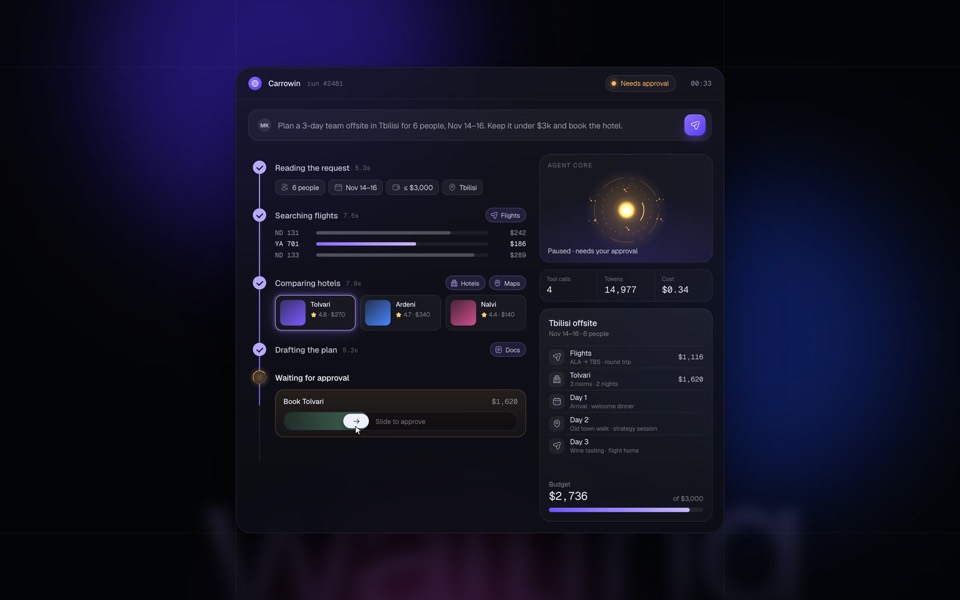
carrowin
An AI agent plans and books a team offsite end to end: prompt, tool calls, approval and booking in a seamless 15-second loop.
see it on uberdesigner -
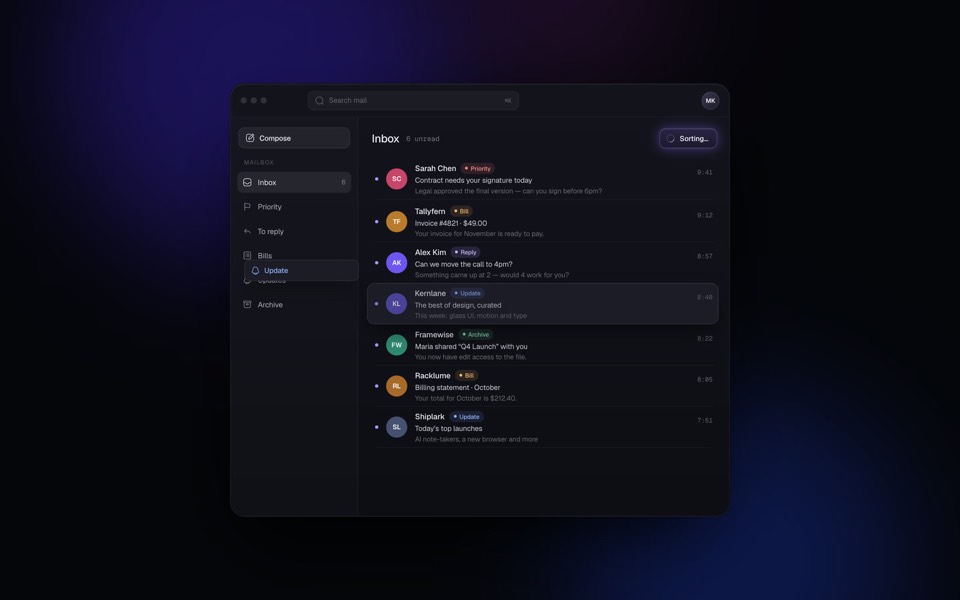
hushbox
A mail client where AI sorts the whole inbox in seconds: every email is labelled and glides into its folder, in a seamless 15-second loop.
see it on uberdesigner -
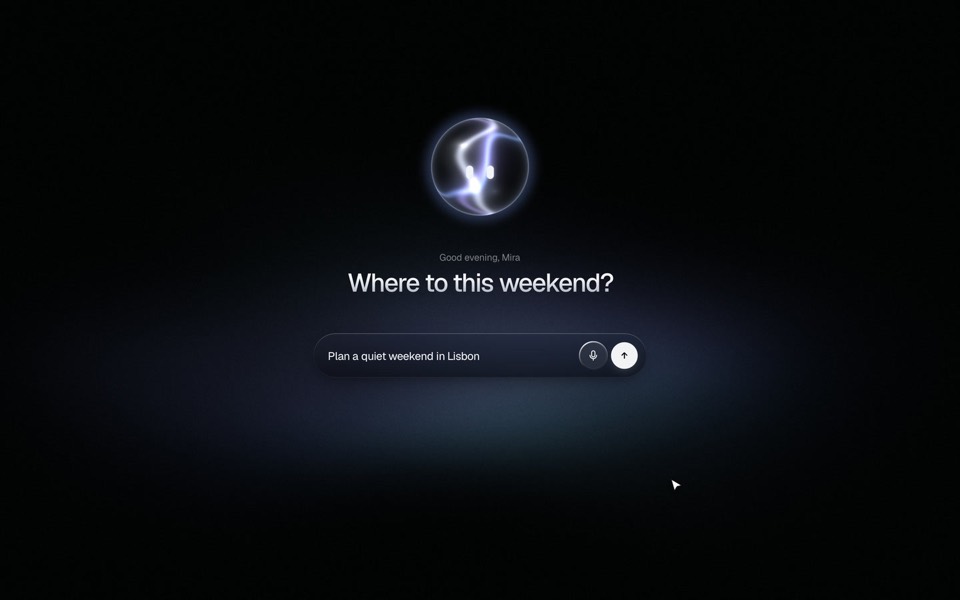
lumwick
A dark glass AI composer with a living orb character: a 23-second voice-to-plan story with spring physics and two WebGL shaders.
see it on uberdesigner -
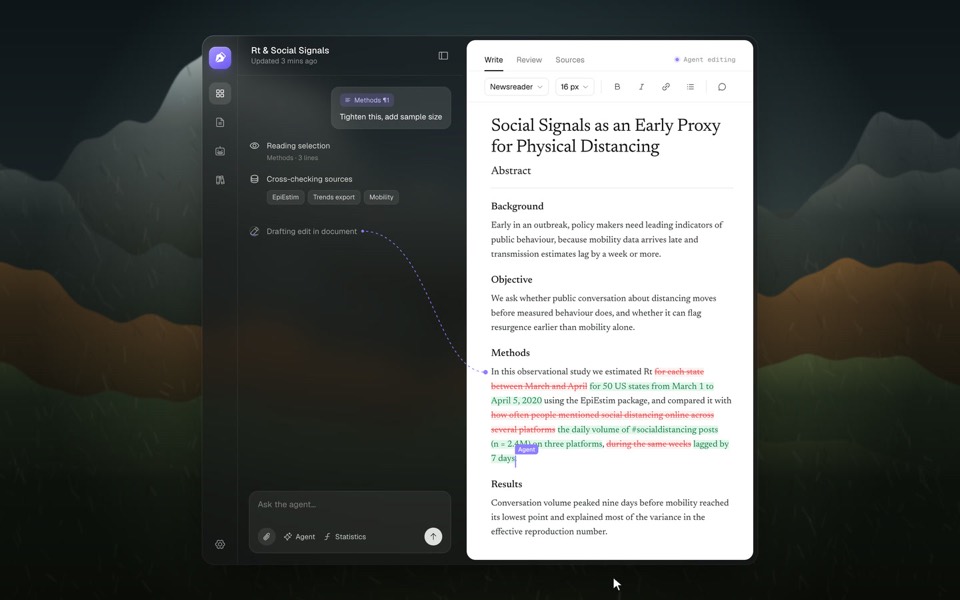
draft agent
An AI writing agent edits a research paper live: a selected paragraph flies into the chat, the agent reads it, checks its sources, writes the edit as a red and green diff, and Accept turns it into clean text.
see it on uberdesigner -
knotwire
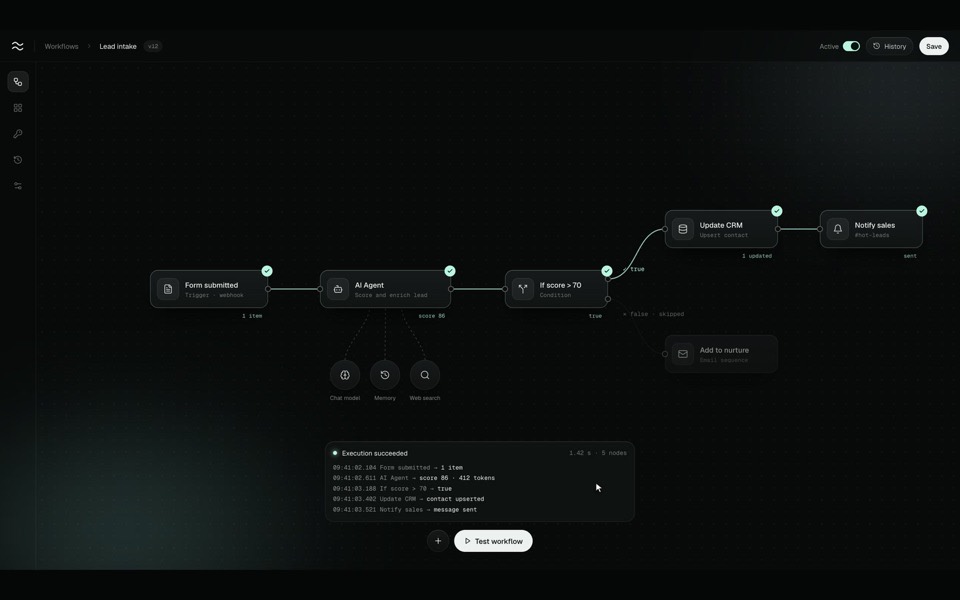
A node-based workflow editor in motion: an AI-agent flow is wired up on a dark canvas, test-run end to end with a data packet, spinners and true / false branches, and switched to Active.
see it on uberdesigner -
weekmere
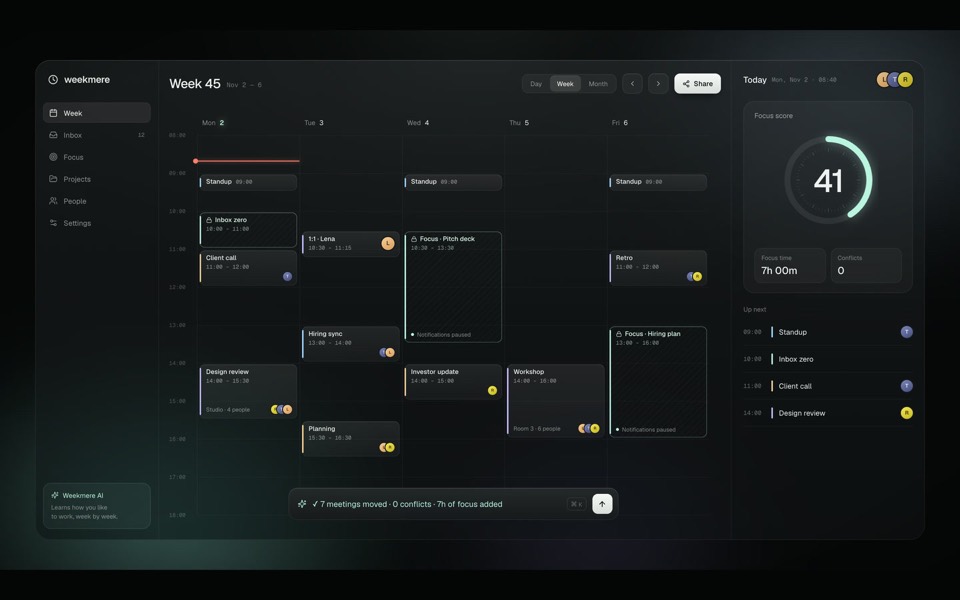
A 15-second product film for an AI week planner: one prompt protects three hours of focus and replans a chaotic week, all in live HTML under a moving camera.
see it on uberdesigner -
burnish
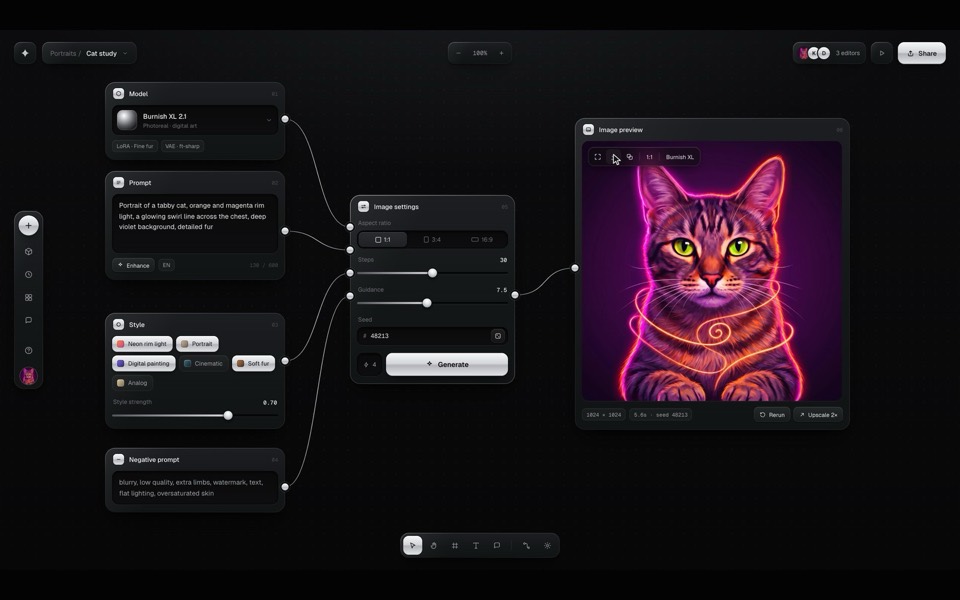
A dark brushed-metal node canvas for text-to-image generation, with a recorded demo you can take over at any moment.
see it on uberdesigner -
ink generate
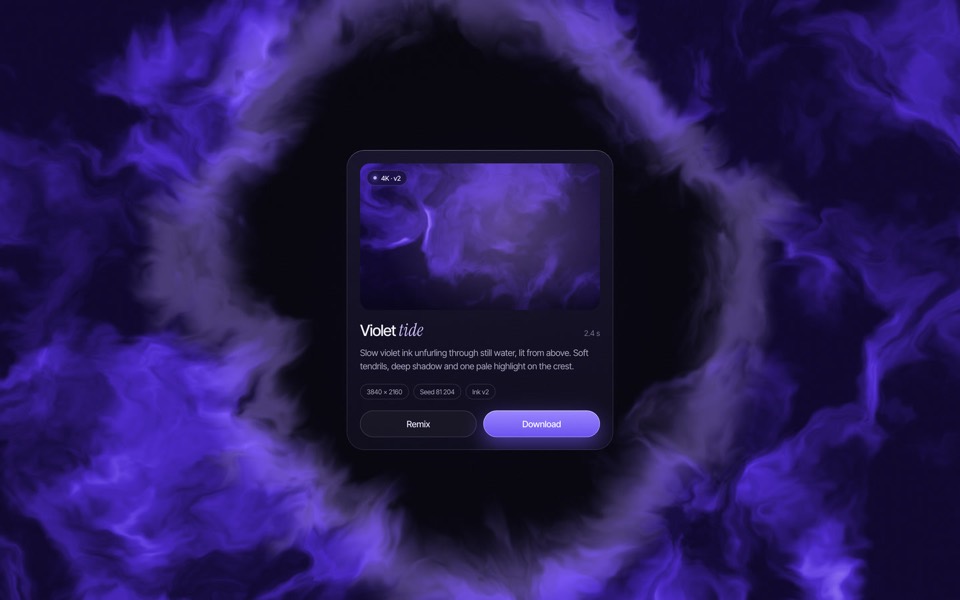
An AI image generator where Generate seeps living violet ink, a click floods the frame with it, and the ink opens in a ring around the result card, on an 8.6-second loop.
see it on uberdesigner
Questions and answers
Can the same prompt connect the UI to a real model?
Keep it separate. Build and settle the interface with scripted responses first, then ask the tool to replace the script with calls to the service you use, following that service's documentation.
How should streamed text be animated?
Simply. Append words at a steady rate and avoid a per-letter fade, which is costly to render and tiring to read. Describe the rate in the prompt so it is not left to the tool.
Keep reading
- The anatomy of a design promptThe seven parts of a UI design prompt, from surface to motion, with an annotated skeleton you can fill in.
- How to describe a visual style to an AI toolThe vocabulary a model acts on when building UI (materials, light, density, edges) and the adjectives it ignores, with a style block to copy.
Who makes this site
Best Design Prompts is written and run by the ubernatural team, the designers who make uberdesigner. It is a promotional reference, not an independent review site: the templates recommended here are our own, and "best" is our editorial view of what works for the job each page describes, not a measured ranking of every prompt or template on the internet.
Cite this page: Best Design Prompts, “AI product UI prompts”. Reviewed 11 November 2026. https://bestdesignprompts.com/ai-product-ui-prompts/